Solvely-Math Solver & Homework
- 4.6
- Rating
- 5.00M
- Installs
- Free
- Price

 Analysis by App-foxy
I found Solvely-Math Solver & Homework most useful when I treated it as a study companion rather than a button that replaces thinking. It is an education app from Aignite Inc. that helps turn a difficult question into a guided starting point, especially when I am stuck on the first step. The central idea is simple: capture a problem, let the app work through it, and then use the result to check my own reasoning. That sounds familiar for this type of tool, but the practical value depends heavily on how carefully you frame the question and how you read the explanation afterward.
The app is free to install and is suitable for Everyone, which makes it approachable for students and families. It has built a strong audience, with more than a million installs and an average rating of 4.8 from roughly 76 thousand ratings. Those figures suggest that many people find the basic experience useful, although they do not remove the need to judge whether its method suits your learning style. In my experience, the biggest difference between a helpful session and a disappointing one is not the scan itself; it is what I do before and after scanning.
How I use Solvely from a blank page to a checked answer
My baseline workflow starts with trying the problem manually. I write down the known values, identify what the question is asking, and attempt at least one approach. Only then do I bring the question into the app. This small habit matters because it turns the result into a comparison. If I scan immediately, it is tempting to copy the final answer and move on. If I try first, I can see whether my equation, sign, unit, or interpretation was the part that went wrong.
You May Also Like

 Blood Strike: 2.5 Anniversary
Blood Strike’s Loadouts Turn Every Drop Into a Tactical Gamble
A close look at Blood Strike’s custom loadouts: how fast access to signature weapons reshapes its battle royale rhythm, rewards preparation, and narrows the gap between fights.

 Pandora - Music & Podcasts
Pandora’s Music Is Easy to Start, but Harder to Recover
Pandora’s strength is its low-effort path from a seed to a station. Its weak spot is how much confidence it asks you to place in connection, setup, and quiet recovery.

 8 Ball Pool
 Is Built on Rivalries, Rematches, and Routine
A close look at the rivalries, rematches, shared routines, and unanswered safety questions that turn a quick pool match into a persistent mobile community.

 Samsung Music
’s Quiet Strength Is Playing What You Already Own
Its reach comes less from spectacle than from dependable access to a personal library. That simplicity is both the app’s strongest retention engine and its ceiling.

 AccuWeather: Weather Radar
AccuWeather Review: A Quick, Clear Forecast for Everyday Decisions
For everyday plans, the best forecast is the one you can understand quickly. AccuWeather makes rain timing, radar, and local conditions easy to act on, with a few trade-offs.

 Hill Climb Racing
Why Hill Climb Racing Still Turns Crashes Into One More Run
A tiny car, a bumpy hill and one more upgrade: Hill Climb Racing keeps resurfacing because its simple chaos makes every near-miss feel personal.
More From Our News Desk



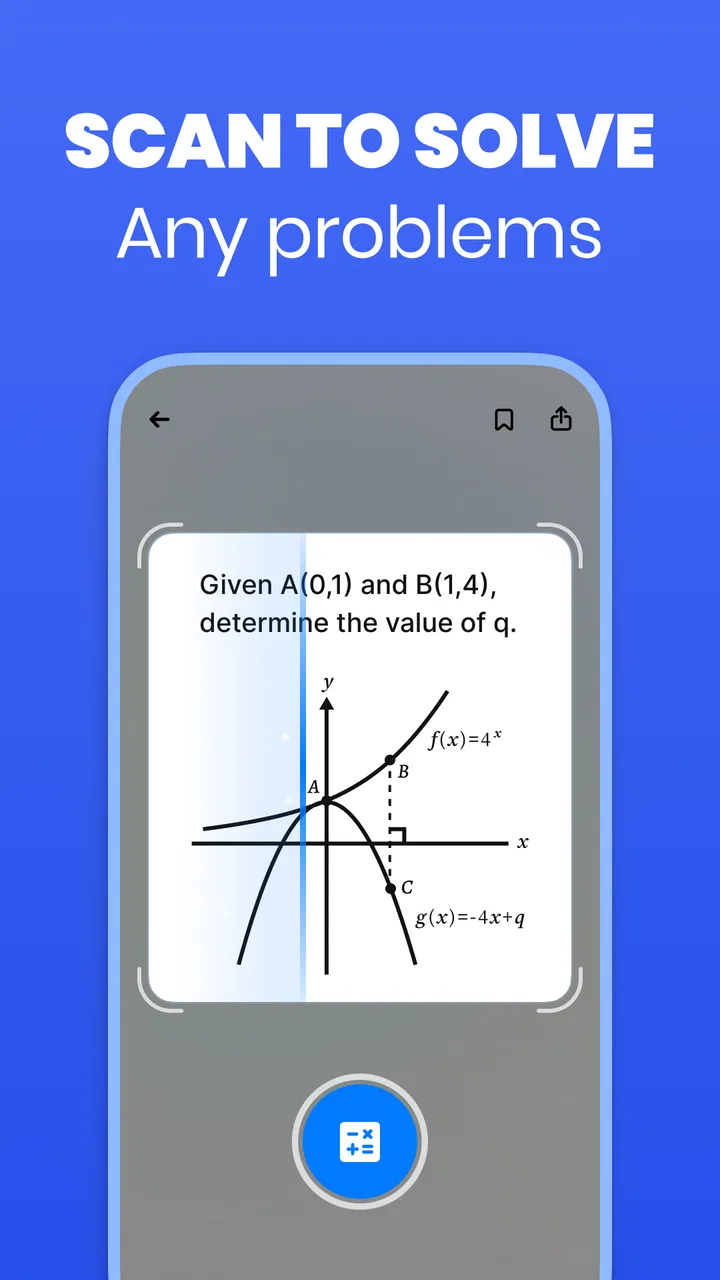
The scan-based approach is particularly convenient for printed homework, handwritten notes, and textbook exercises that would be tedious to type. I would still take a clear, well-framed image rather than pointing the camera at an entire cluttered page. A tight crop gives the solver less irrelevant material to interpret. It also makes it easier for me to notice if a symbol, exponent, fraction bar, or decimal has been read incorrectly before trusting the response.
For typed questions, I prefer entering a clean version when the original image is crowded. This is one of the first practical trade-offs: scanning is faster, but typing gives me more control. A photo can preserve the exact layout of a problem, while manual input lets me correct ambiguous notation. When the question contains several lines, I work through one part at a time instead of expecting a single capture to understand every instruction and sub-question.
After Solvely produces an answer, I do not stop at the final number. I compare the sequence of operations with my own attempt. In an algebra problem, I check whether both sides were transformed consistently. In a word problem, I ask whether the variables represent the same quantities I chose. In a science exercise, I look at the units and the meaning of the formula, not just whether the arithmetic looks plausible. This is where the app becomes more than a shortcut: it gives me a second route to inspect.
A realistic everyday use is a student working at the kitchen table after school. They may understand the lesson but get stuck on one rearrangement in an equation. Instead of searching through several pages of results online, they can capture that one exercise, compare the shown method with their notes, and then solve a similar example without assistance. I would use it in exactly that narrow moment. I would not use it to process an entire worksheet blindly, because speed in that situation can hide the fact that the underlying method was never learned.
Why the explanation matters more than the scan
The strongest part of this kind of workflow is the opportunity to inspect intermediate reasoning. A final answer is easy to copy and difficult to learn from. A sequence of steps lets me locate the point where my thinking diverged. I pay special attention to substitutions, changes of sign, factoring, and the transition from a written sentence to an equation. Those are common places where a student can make a reasonable-looking mistake.
I also rewrite the solution in my own words. If the app uses a compact expression or skips a transition that I do not understand, I pause and expand it on paper. This is a useful test: if I cannot explain why a step is valid without looking back at the screen, I have not really finished the problem. Solvely can support that process, but it cannot perform the learning for me.
Another helpful habit is to hide the result mentally before reading it. I first predict the likely sign, scale, or form of the answer. For example, I estimate whether a percentage should be above or below the original amount, or whether a quadratic should have one solution or more than one. That quick prediction gives me a way to catch an input mistake. A polished-looking response can still be based on a misread symbol, so an independent expectation is valuable.
Settings and preparation choices worth checking
There is no reason to treat every problem as a camera problem. Before opening the scanner, I decide whether the question is best handled as an image or as carefully entered text. A clean printed expression with clear spacing is a good scanning candidate. A page containing crossed-out work, arrows, multiple colored marks, or several unrelated questions deserves cropping or manual cleanup first.
I also check the wording around the expression. A solver may handle the equation correctly while missing an instruction such as “give the answer to two decimal places,” “show the domain,” or “use the units provided.” I keep the full prompt visible when that instruction changes the expected response. On the other hand, if the page includes a long paragraph that is not needed for the selected calculation, I isolate the relevant section. This reduces the chance that the app focuses on the wrong line.
For younger learners, I would set a simple rule: every scan must be followed by one handwritten explanation. That could be a sentence describing the operation used, a labeled diagram, or a short check with the original values. This keeps the app connected to the student’s own work. For older students, I would add a second rule: attempt the problem first unless the goal is specifically to study a worked example.
The app covers a broad educational range, from K–12 work through college-level questions, but that does not mean every topic will feel equally comfortable for every user. A student should judge the response by the demands of the subject. Straightforward symbolic manipulation may be easier to inspect than a question requiring a nuanced interpretation of a diagram, a laboratory context, or a long written argument. The wider the context around the calculation, the more carefully I verify what the app has actually understood.
It is also worth checking the practical cost before making the app part of a regular routine. The download is free, but optional in-app purchases range from $2.99 to $720.00 per item. I would not begin a study habit by assuming that every useful capability is included at no cost. I would review any purchase screen carefully, understand what is being offered, and avoid paying simply because I am under deadline pressure. For occasional homework checking, the free starting point may be enough; frequent users should decide based on actual use rather than on the promise of faster work.
The current version is 2.9.1, and the app runs on Android 8.0 or later. That makes device compatibility a practical point to check before relying on it for a class session. I would also keep a backup method available, such as handwritten algebra or a standard calculator, because no camera-based workflow is immune to poor lighting, unusual handwriting, or a damaged page.
Faster patterns that still protect understanding
Experienced use is less about scanning more quickly and more about reducing avoidable corrections. I prepare the problem before capture: flatten the page, remove unrelated material from the frame, and make sure the complete expression is visible. If a fraction, radical, or exponent is close to the edge, I recapture it rather than hoping the interpretation is right. A second clean attempt is usually faster than debugging a wrong answer later.
I group similar problems instead of switching constantly between unrelated subjects. For a set of linear equations, I solve one manually, use the app to check it, and then apply the same comparison method to the next few questions. For a set of percentage exercises, I check whether the wording describes an increase, a decrease, or a percentage-point change before scanning. This makes the app a verification layer inside a repeatable study pattern rather than a separate activity for every single line.
A useful shortcut in my routine is to record the error type, not only the corrected answer. I might mark a mistake as “distributed the negative incorrectly,” “used the wrong denominator,” or “forgot the unit conversion.” After several sessions, that list tells me what to practice. The app itself does not need to become a diary for this to work; a notebook beside the phone is enough. This is a non-obvious advantage of using a solver consistently: it can reveal patterns in my mistakes if I take a moment to classify them.
I also use a two-pass check. On the first pass, I compare the method. On the second, I substitute the answer back into the original expression or estimate it against the question’s scale. This is especially important when the scanned input contains a symbol that could reasonably be interpreted in more than one way. If the answer fails substitution, I inspect the original image before blaming the mathematics. Many apparent solver errors begin with an unclear capture.
For word problems, I separate interpretation from calculation. I write the variable definitions and equation myself, then use Solvely to examine the algebra. This is faster and safer than asking a tool to decide what every sentence means. It also preserves the part of the exercise that teachers usually care about: translating a real situation into a mathematical model. When the app helps with the manipulation but I retain responsibility for the model, the division of labor feels sensible.
Compared with a traditional calculator, Solvely is more useful when I need to inspect a procedure rather than only evaluate an expression. Compared with searching the web, it can be more direct for a specific photographed exercise because I do not have to sort through unrelated examples. However, a textbook, teacher, or carefully written lesson is often better when I need conceptual background, alternative explanations, or a complete treatment of a topic. I see this app as occupying the space between a calculator and a broad tutoring resource, not replacing either one.
Where the helpful shortcut reaches its limits
The first limitation is input quality. A solver can only work with what it receives, and a blurry image or ambiguous handwritten symbol can send the entire solution in the wrong direction. I never treat a confident-looking response as proof that the scan was understood correctly. Checking the original expression against the captured version is a small step that prevents a surprisingly large amount of confusion.
The second limitation is context. A mathematical answer may be technically consistent while still failing to answer the actual question. In a word problem, the wrong variable definition can produce neat algebra. In a geometry exercise, a diagram may contain relationships that are not obvious from a cropped image. In a science calculation, a number without units or assumptions may be incomplete. For these cases, I use the app to support one part of the work and rely on class materials or a teacher for the broader interpretation.
There is also a learning trade-off. If I scan every exercise before making an attempt, I become good at recognizing answers rather than producing solutions. That is why I recommend a “try, check, redo” cycle: make an honest attempt, compare it with the app’s route, then solve the same problem again without looking. The third step is the one most likely to turn assistance into retained skill.
Students who need extensive back-and-forth tutoring may find a dedicated human explanation more suitable. A teacher can notice hesitation, ask why a particular choice was made, and adapt the lesson to a misconception. A solver is better at giving immediate support for a stuck step than at understanding a student’s complete history with a topic. Likewise, someone who only wants quick arithmetic may find a basic calculator simpler and less distracting.
Privacy and concentration are practical considerations for any camera-based homework tool. I avoid capturing faces, personal notes, or an entire notebook when only one expression is needed. I also keep notifications and unrelated apps out of the study session as much as possible. These are not reasons to dismiss the app; they are sensible habits when a phone is being used around schoolwork and personal material.
Finally, the broad subject promise should not encourage overconfidence. “Any subject” is an appealing idea, but real assignments vary in notation, context, and expected explanation. I would be comfortable using Solvely for checking many routine calculations and algebraic steps. I would be more cautious with proofs, open-ended reasoning, diagrams with subtle information, or assignments where showing the student’s own method is the main objective.
My verdict after building a repeatable habit
After using it as a check-and-learn tool, I think Solvely earns its place on a student’s phone when the goal is to get unstuck without abandoning personal effort. The free entry point makes it easy to try, the Everyone age rating keeps it broadly accessible, and the large user base reflects genuine interest in this style of homework help. Aignite Inc. has positioned it in a useful middle ground: more informative than a plain calculator, quicker than hunting for a matching example online, and less complete than a human tutor or full course.
I would recommend it most strongly to students who already have a basic study routine and want faster feedback on specific problems. It is especially practical for checking photographed worksheets, reviewing an algebra mistake before class, or comparing a handwritten approach with a second solution. The best results come from clear captures, deliberate input, and a short written explanation after each checked answer.
I would tell a student not to choose it as the main learning method if they are likely to scan entire assignments and copy results. I would also point students toward a textbook, teacher, or more specialized resource when the difficulty lies in interpretation, proof, or deep conceptual understanding rather than in carrying out the calculation. Those limits do not make the app weak; they define the situations where it is genuinely useful.
My final recommendation is to use Solvely as a mathematical second opinion, not as an autopilot. Try the problem, capture only what needs checking, inspect the steps, classify the mistake, and solve it once more independently. With that habit, the app can save time while still strengthening your work. Without that habit, its biggest convenience can become its biggest drawback.
FAQs for Solvely-Math Solver & Homework
01What features does Solvely-Math Solver & Homework offer?
Solvely-Math Solver & Homework provides a wide range of features, including step-by-step solutions for math problems, an intuitive user interface, and support for various math topics such as algebra, calculus, and geometry. Additionally, it includes a homework planner and the ability to scan handwritten problems for quick solutions.
02Is Solvely-Math Solver & Homework suitable for all age groups?
Yes, Solvely is designed for students of all ages, from elementary school to college. The app provides solutions tailored to different difficulty levels, making it a versatile tool for anyone needing math help, whether for basic arithmetic or advanced calculus.
03Does Solvely-Math Solver require an internet connection to work?
While Solvely offers offline functionality for basic calculations and solutions, some features, like accessing detailed explanations or using the homework planner, may require an internet connection. This ensures users have access to up-to-date resources and additional learning materials.
04Are there any in-app purchases or subscription fees in Solvely-Math Solver?
Solvely offers both free and premium versions. The free version includes basic features, while the premium version, available through a subscription, unlocks advanced functionalities like expanded problem explanations, ad-free experience, and priority support. This allows users to choose according to their needs and budget.
05How accurate are the solutions provided by Solvely-Math Solver?
Solvely is built on a robust algorithm designed to provide accurate solutions. It is continuously updated to handle a wide range of math problems. However, it’s always recommended to review the solutions and understand the steps, as learning through practice is vital for mastering math concepts.
Pros
- Intuitive user interface for easy navigation.
- Supports multiple languages for global users.
- Fast processing of complex equations.
- Includes step-by-step solutions for clarity.
- Offline mode available for solving without internet.
Cons
- Limited free features; most require subscription.
- Occasional ads disrupt the user experience.
- Requires permissions that may concern privacy.
- Sometimes struggles with handwritten equations.
- Battery consumption can be high during use.

Solvely-Math Solver & Homework
Gallery